Best EPUB Reader for iPhone: What Personal-Library Readers Actually Need
Choose an iPhone EPUB reader by ownership, typography, offline access, read-aloud quality, organization, and the ability to repair imperfect books.
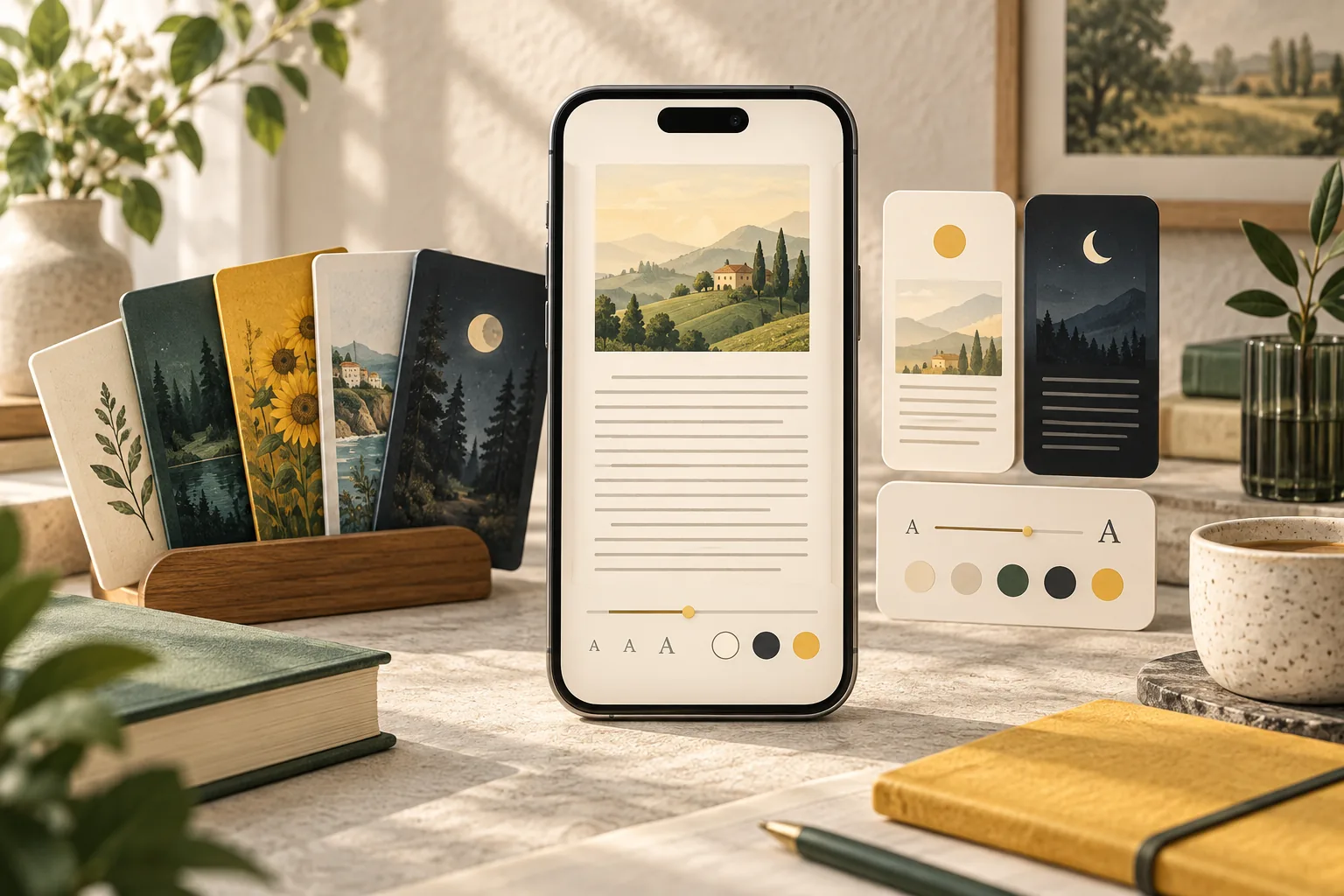
The best EPUB reader for iPhone depends on your library. Apple Books is convenient for readers already inside Apple's ecosystem. Kindle is useful for Amazon delivery and synchronization. EpubTidy is designed for people who keep DRM-free EPUB files and want one local-first app to read, listen, correct metadata, replace covers, repair formatting, organize the library, and export the improved book.
Essential Facts & Reader Takeaways
- ✓Choose a reader based on the files you own and the ecosystem where you want those books to remain.
- ✓A strong EPUB reader should handle navigation, themes, fonts, spacing, margins, and offline access reliably.
- ✓Read aloud is most useful when it follows the EPUB chapter structure and remains available without a live connection.
- ✓Readers with personal libraries benefit from metadata, cover, duplicate, organization, and export tools—not playback alone.
- ✓No single app is best for everyone: storefront integration and local-file control solve different needs.
Start with Your Books, Not a Feature Checklist
Store purchases and personal EPUB files are different libraries
If most of your books are purchases from a single storefront, that store's reader offers the simplest account, delivery, and synchronization experience. If your library consists of DRM-free EPUBs from independent stores, publishers, public-domain collections, author newsletters, or your own work, local-file handling matters more.
EpubTidy is built around the file itself. The EPUB remains a portable publication that you can inspect, improve, read, listen to, and export rather than merely an entry inside a vendor account.
Seven Features Worth Evaluating
Reading comfort is only the beginning
Evaluate rendering quality, table-of-contents navigation, font and spacing control, light and dark themes, offline availability, accessibility, and privacy. For a large personal library, also inspect cover handling, author and series organization, duplicate detection, import speed, and export behavior.
Read-aloud support deserves a real test with a full chapter. Listen for sentence boundaries, dialogue, pauses, language support, background behavior, and what happens when the phone loses its connection. A short voice demo does not reveal the entire reading experience.
Where EpubTidy Fits
A reader for books that need care
EpubTidy combines a visual reader and downloadable local AI voices with tools normally separated into desktop utilities: metadata editing, series information, cover replacement, library checks, HTML and CSS cleanup, and export.
That makes it especially relevant when an EPUB is readable but untidy—a wrong author, generic cover, locked font, dark-mode problem, malformed spacing, duplicate identifier, or Send to Kindle failure. Readers who only buy books from a store may prefer the store app; readers who manage the files themselves gain more from an EPUB-focused toolkit.
The Best Choice by Use Case
Match the app to the job
Choose Apple Books for a straightforward Apple ecosystem shelf, Kindle for an Amazon-centered library, a cross-platform subscription reader when synchronization across many operating systems is essential, and EpubTidy when you want local control over DRM-free EPUB files on an iPhone.
The strongest workflow can include more than one app. Repair and organize a book in EpubTidy, then export it to the destination reader you prefer. The corrected metadata, cover, and formatting belong to the EPUB instead of being trapped in one interface.
EpubTidy vs. Store-centered ebook reader
| Feature / Capability | EpubTidy (iOS) | Store-centered ebook reader |
|---|---|---|
| Read DRM-free EPUB files | ✓ Direct import and local library | Usually supported, with ecosystem-specific workflows |
| Repair metadata, cover, and formatting | ✓ Integrated EPUB editing and cleanup | Generally not the primary purpose |
| Buy commercial ebooks | ✓ No built-in book store | Integrated store and account purchases |
| Offline neural read aloud | ✓ Downloadable on-device voice options | Availability and voice behavior vary |
| Export the corrected EPUB | ✓ Share the updated standard file | Store purchases may remain tied to the ecosystem |
Frequently Asked Questions About This Topic
What is the best EPUB reader for iPhone?▼
Apple Books is convenient for Apple's ecosystem, while EpubTidy is designed for readers who manage DRM-free EPUB files and want reading, offline narration, metadata, cover, repair, organization, and export tools together.
Can I read EPUB files offline on an iPhone?▼
Yes. Import the EPUB into a reader that stores the book locally. EpubTidy's core library, editing, and reading workflows operate on device.
Does EpubTidy replace Apple Books or Kindle?▼
It can be your primary reader for DRM-free EPUBs, or it can prepare and repair files before you export them to Apple Books, Kindle, Kobo, or another compatible reader.
Can EpubTidy open DRM-protected store books?▼
EpubTidy is intended for user-provided, DRM-free EPUB files and does not remove DRM.
Related Guides & Topics
Ready to Upgrade Your E-Reading Freedom?
Download EpubTidy for iPhone & iPad. 100% offline neural AI voices, mobile EPUB editing, and zero subscriptions.