
The Kindle Paperwhite Monument on iPhone: Reading with True Black OLED
How EpubTidy’s Deep Black technology turns off pixels, eliminates glare, and transforms your iPhone into a flagship e-reader.
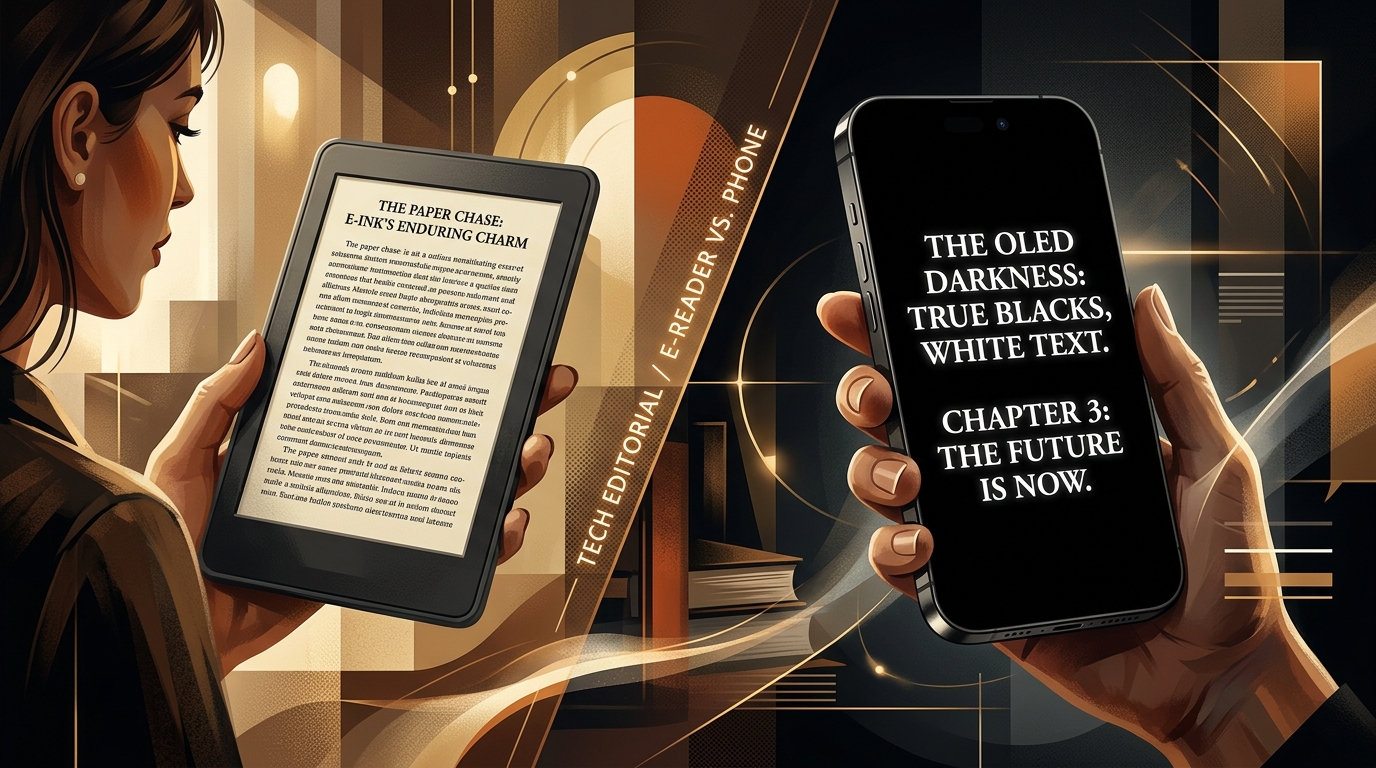
For years, book lovers believed they had to purchase a dedicated e-ink device like the Kindle Paperwhite to protect their eyes from digital glare. EpubTidy shatters this myth. By leveraging the expensive OLED hardware already in your pocket, EpubTidy’s Deep Black technology completely turns off non-illuminated pixels, reducing unnecessary screen light by up to 90%. It stands as a monument to digital reading—delivering the soothing, glare-free comfort of a Paperwhite, combined with the extreme processing power, mobility, and crisp resolution of the iPhone.
Essential Facts & Reader Takeaways
- ✓The Paperwhite Experience on Mobile: Achieve the same zero-glare, eye-soothing reading comfort as dedicated e-ink devices without carrying extra hardware.
- ✓True Black OLED: Deep Black technology physically turns off background pixels, rather than just coloring them dark grey like standard apps.
- ✓Zero Sleep Disruption: Eliminate the blooming effect and blue light leakage that disrupts melatonin production during late-night reading.
- ✓The E-ink Paradox in the Dark: While e-ink excels in daylight, relying on its artificial front-light at night introduces glare, making OLED Deep Black a superior nighttime choice.
- ✓Unmatched Battery Saving: Because up to 90% of the OLED pixels are turned off, your iPhone consumes drastically less energy, extending reading sessions for hours.
- ✓Complete Adaptability: Adjust the brightness and warmth of the text independently. The text is not a stark white, but a soft, adaptive tone that matches your environment.
Building a Paperwhite Monument on the iPhone
Why carry two devices when one holds ultimate power?
The Kindle Paperwhite has long been heralded as the gold standard for digital reading, primarily due to its e-ink display that mimics real paper and reduces eye strain. For years, the prevailing wisdom was that reading on a smartphone would inevitably lead to dry eyes, headaches, and disrupted sleep.
However, this wisdom ignores the massive technological leap of modern smartphone displays. iPhones are now equipped with stunning, expensive OLED panels. Unlike traditional LCD screens that rely on a universal backlight, OLED screens illuminate each pixel individually. To display the color black, an OLED screen simply turns the pixel off entirely.
EpubTidy builds a monument to the Paperwhite experience directly on your iPhone. By forcing a true black background, the app turns off every pixel that isn't actively displaying text. The result is a reading environment where the words seem to float in thin air, achieving a level of comfort that directly rivals, and in some cases surpasses, dedicated e-ink devices.
The E-ink Paradox in the Dark
When the front-light ruins the natural reading experience
E-ink displays are heavily marketed for reading on a sunny beach, because they rely on ambient light to reflect text to your eyes. But in reality, reading is rarely done in the middle of the blazing sun. For most of us, reading is an intimate, quiet activity—a sanctuary found on a cozy couch, a dimly lit corner, or in bed at the end of a long day. In these low-light environments, e-ink's strength becomes a weakness. To read a Kindle in the dark, you must turn on its artificial front-light, which compromises the natural, paper-like contrast it is famous for.
In a pitch-black room, a front-lit e-reader is essentially washing the screen with artificial light. EpubTidy's Deep Black OLED flips this paradigm. By turning off the background entirely, there is no ambient screen glow. The text itself is the only source of light.
Furthermore, the text displayed on EpubTidy is not a stark, blinding white. It renders in a soft, adaptive tone that can be finely adjusted to match the ambient lighting of your environment. This creates a deeply immersive reading experience that is arguably superior to e-ink once the sun goes down.
Real-World Use Cases: Where Deep Black Shines
From shared beds to long-haul flights
The advantages of Deep Black OLED technology extend far beyond basic eye comfort. It solves several real-world reading challenges that standard apps fail to address.
**The Shared Bed Scenario:** Reading in bed while your partner tries to sleep is a common friction point. Even at the lowest brightness, a standard reading app with a dark grey background emits a noticeable rectangular glow. With EpubTidy's Deep Black, the screen borders vanish into the darkness. Only the text glows faintly, ensuring your partner remains undisturbed.
**The Long-Haul Flight:** When the airplane cabin lights are dimmed, the glare from standard screens can be blinding. Deep Black allows you to dim the text independently of the background, matching the ambient darkness of the cabin perfectly. Plus, because up to 90% of your screen's pixels are physically turned off, EpubTidy consumes significantly less battery, allowing you to read across oceans without reaching for a charger.
**The Ocular Migraine Sufferer:** For users prone to eye strain or migraines, the 'blooming' effect—where white text halos on a dark grey background—can be painful. By turning off surrounding pixels entirely, Deep Black eliminates blooming, providing a crisp, high-contrast image that is effortless for the brain to process.
Pioneering Eye Comfort Without Compromise
Say goodbye to laggy page turns and ghosting
While e-ink is wonderful for the eyes, it suffers from severe limitations: slow refresh rates, ghosting (where remnants of the previous page linger), and a clunky interface. Searching a large library or highlighting text on an e-reader can be an exercise in frustration.
By utilizing your iPhone, EpubTidy gives you the best of both worlds. You get the eye-soothing, zero-glare benefits of an e-ink display for night reading, coupled with the lightning-fast processors, 120Hz smooth scrolling, and highly responsive touch screens of an Apple device. It is reading without compromise.
EpubTidy vs. Dedicated E-Readers (Kindle Paperwhite)
| Feature / Capability | EpubTidy (iOS) | Dedicated E-Readers (Kindle Paperwhite) |
|---|---|---|
| Carrying Convenience True mobility means using the device you always have. | ✓ Zero extra bulk (Already in your pocket) | Requires carrying a second device |
| Night Reading Comfort OLED turns off background pixels; e-ink must turn on a light. | ✓ True Black OLED (zero background light, soft text) | Requires artificial front-light (introduces glare) |
| Processing Speed & Fluidity Navigate massive libraries instantly without lag. | ✓ Lightning-fast iPhone processor & 120Hz scrolling | Slow page turns, noticeable ghosting & lag |
| Display Resolution Render beautiful, complex fonts flawlessly. | ✓ Super Retina XDR (crystal clear typography) | 300 PPI (good, but less sharp than modern phones) |
Frequently Asked Questions About This Topic
How does this compare to reading on a Kindle Paperwhite?▼
While the Kindle uses e-ink to reflect ambient light, EpubTidy uses OLED Deep Black to turn off background light entirely. Both prevent glare and eye strain, but EpubTidy allows you to use your fast, high-resolution iPhone without carrying a second device.
What is the difference between Dark Mode and Deep Black?▼
Standard dark modes often use dark grey backgrounds to reduce contrast. Deep Black uses true black, which on an OLED screen means the pixels are physically turned off, eliminating all background light.
Will Deep Black actually save my iPhone's battery?▼
Absolutely. On OLED screens, powering a pixel is what drains the battery. By turning off the majority of the screen's pixels, EpubTidy drastically reduces energy consumption while reading.
Do other apps like Apple Books do this?▼
Many mainstream apps use foreground paper themes or dark grey backgrounds that do not fully turn off the OLED pixels, missing out on the anti-glare and battery-saving benefits.
Related Guides & Topics
Fix the EPUB problem you came here for.
Use EpubTidy on iPhone or iPad to edit metadata, replace covers, clean formatting, and export a corrected EPUB. Reading and offline read aloud are included.