
The Best Calibre Alternative for Mobile: Edit EPUBs Anywhere Without a Laptop
Why Calibre's greatest limitation is that it's desktop-only — and how Epub Tidy solves every core use case on iPhone or iPad, no PC required.
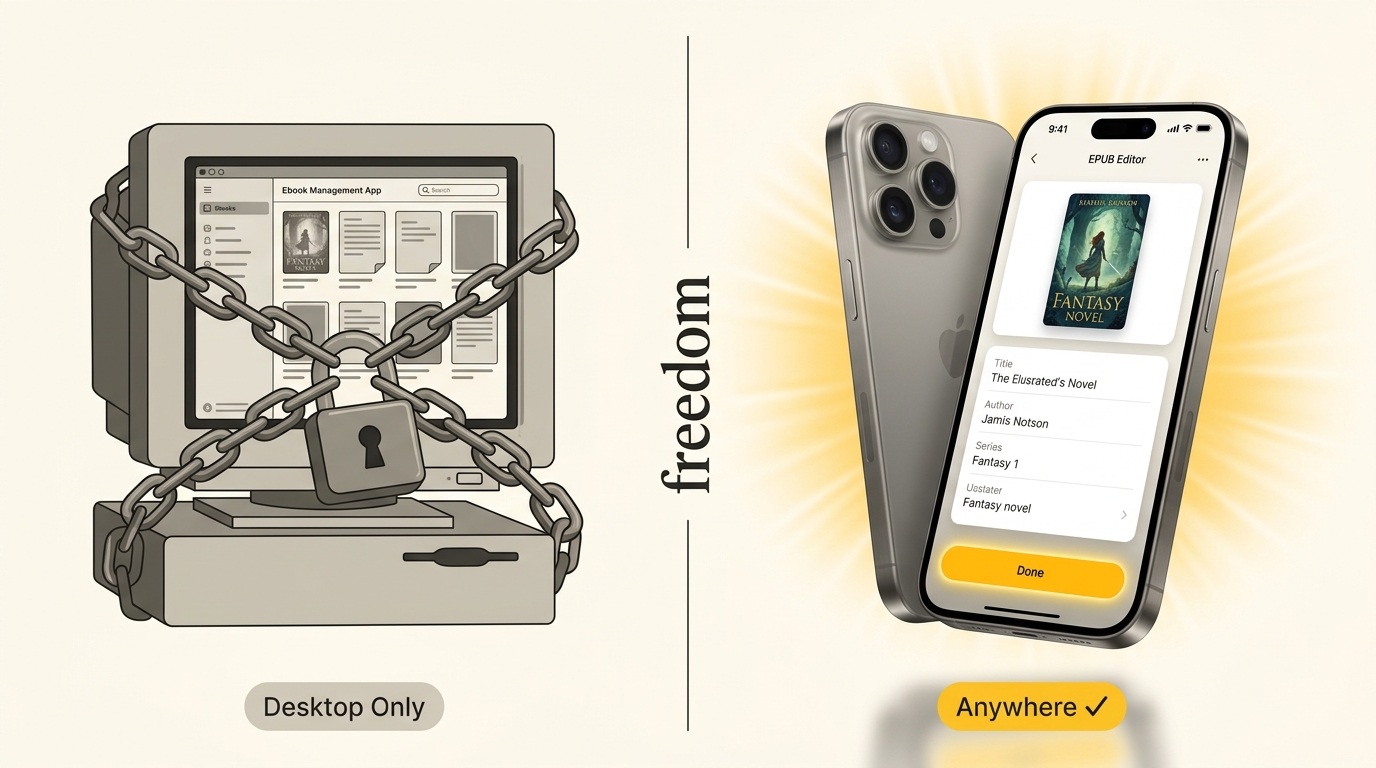
Calibre is one of the greatest pieces of open-source software ever built — but it runs only on desktops. In a world where most reading, downloading, and troubleshooting happens on smartphones, that single constraint eliminates Calibre as a solution for millions of users every day. Epub Tidy was engineered specifically to fill this gap: a full-featured EPUB editing suite that runs entirely on iPhone and iPad. Fix metadata, replace covers, repair CSS, manage series numbering, and validate EPUB structure — all from your pocket, in the airport, on the couch, or anywhere else you read.
Essential Facts & Reader Takeaways
- ✓Calibre is desktop-only (macOS, Windows, Linux) — it has no official mobile app and cannot run on iPhone or Android.
- ✓Epub Tidy is the leading Calibre alternative for iOS, offering metadata editing, cover replacement, CSS repair, and series management on iPhone and iPad.
- ✓No laptop required: open any DRM-free EPUB from the iOS Files app, fix it in seconds, and export the corrected file directly to Apple Books, Kindle, or cloud storage.
- ✓Works completely offline: all processing is done on-device with zero data sent to servers, making it private and ideal for use mid-flight or in areas with no signal.
- ✓Calibre excels at massive server-side library management (100k+ books); Epub Tidy excels at the mobile agility that Calibre structurally cannot offer.
What Is Calibre and Why Do People Look for Alternatives?
The most powerful EPUB tool ever built — with one fatal flaw
Calibre is the gold standard for desktop e-book management. First released in 2006, it has grown into a sprawling Swiss Army knife of EPUB, MOBI, AZW3, PDF, and LRF conversion, metadata editing, library organization, and content server functionality. With over 20 million downloads and a passionate open-source community, Calibre is an extraordinary piece of software.
But Calibre runs exclusively on macOS, Windows, and Linux. There is no official Calibre mobile app for iOS or Android. There never has been, and given Calibre's architecture — a Python/Qt desktop application with a local SQLite library database — there likely never will be.
This creates a fundamental mismatch in 2025: most reading, book downloading, and on-the-go troubleshooting happens on smartphones and tablets. When you download an EPUB from Project Gutenberg at 11pm and find the cover is a 200×300 pixel disaster, your only option with Calibre is to write a mental note and fix it later at your desk. That 'later' very often never comes.
What Do People Actually Need a Calibre Alternative For?
The five most common Calibre use cases — and whether mobile solves them
Not everyone who searches for 'Calibre alternative' wants the same thing. Based on community discussions on Reddit's r/ebooks, r/selfhosted, and r/kobo, the real-world use cases break into five clear categories.
**1. Fixing Metadata on the Go.** The most common pain point: downloading an EPUB and finding the title is in ALL CAPS, the author has three different spellings across 12 books, or the series number is missing entirely. Calibre solves this perfectly on desktop. Epub Tidy solves it perfectly on mobile.
**2. Replacing Broken or Low-Resolution Covers.** Many EPUB files from older sources embed 72dpi thumbnail covers that look blurry on Retina displays. Calibre's desktop Cover Fetch is legendary. Epub Tidy's Smart Cover Matcher replicates this on iOS — searching the Apple Books catalog to fetch official, high-resolution jacket art with a single tap.
**3. Fixing Dark Mode Rendering.** Publisher EPUBs often hard-code white backgrounds, gray text, and specific serif fonts using inline CSS. This causes painful rendering when reading in dark mode. Epub Tidy's CSS Hygiene engine strips these overrides in one tap. Calibre requires Sigil or manual CSS editing.
**4. Setting Calibre Series Ordering.** The calibre:series and calibre:series_index metadata tags invented by the Calibre project are now the standard way to sort book series in Apple Books, Kobo, and most e-readers. Epub Tidy reads, writes, and exports these tags from iOS without any desktop involvement.
**5. Send-to-Kindle Compatibility.** EPUBs downloaded from the web sometimes fail Amazon's Send-to-Kindle processing with cryptic errors. Often a small metadata or packaging issue is to blame. Epub Tidy's validation engine finds and fixes these issues before you send — on your phone, before bed.
How to Edit EPUB Metadata on iPhone Without Calibre
A step-by-step walkthrough of the mobile Calibre alternative workflow
Step 1: Open the EPUB in Epub Tidy. Tap any EPUB file in the iOS Files app and choose 'Open in Epub Tidy' from the share sheet. The app instantly unpacks the EPUB container and displays its internal structure without any waiting or upload.
Step 2: Edit Metadata. Tap the Metadata tab. You will see all Dublin Core fields — title, author, description, publisher, language, ISBN — alongside Calibre-specific fields for series name and series index. Tap any field to edit. Changes are previewed live.
Step 3: Replace the Cover. Tap 'Match Cover' to trigger the Smart Cover Matcher. Epub Tidy searches the Apple Books catalog using the book's title and author, returning multiple official cover options at full resolution. Select one, or tap 'Camera Roll' to use a custom image.
Step 4: Run CSS Hygiene (Optional). If you plan to read in dark mode, tap 'Clean Styles' to strip publisher-forced colors, fonts, and margins. The preview reader updates immediately to show you how the book will look.
Step 5: Export. Tap 'Export' to repackage the EPUB. Epub Tidy validates the OPF manifest, spine, and navigation document automatically. Send the corrected file to Apple Books, AirDrop it to your laptop, email it to your Kindle address, or save it to iCloud Drive.
When Should You Still Use Calibre Instead?
Being honest about what a mobile alternative cannot replace
Epub Tidy is the right tool when you are on mobile and need to fix individual books quickly. Calibre is still the right tool for several use cases that mobile cannot match.
If you manage a personal library of 5,000 to 100,000+ EPUB and MOBI files and need batch conversion, automated metadata fetching from multiple sources, OPDS server hosting, or plugin-based automation, Calibre on a home server or NAS remains the correct solution. Tools like Calibre-Web or Booklore extend this into a web-accessible library frontend.
If you need to convert between formats in bulk — for example, converting 200 MOBI files to EPUB 3 — Calibre's conversion pipeline handles this with sophisticated tuning options that no mobile tool approaches.
The ideal workflow for serious e-book enthusiasts is not 'Calibre or Epub Tidy' but 'Calibre at home + Epub Tidy everywhere else'. They address different moments in the reading lifecycle.
Why 'Calibre for Mobile' Has Been an Unsolved Problem Until Now
The technical reasons no one built this sooner
Building a true EPUB editor for iOS is harder than it appears. An EPUB file is a ZIP archive containing XHTML, CSS, images, OPF package documents, and NCX or NAV navigation files. Manipulating these correctly — without corrupting cross-references, breaking spine order, or invalidating the OPF manifest — requires a robust parsing and repackaging engine.
Epub Tidy's core engine handles EPUB 2.0.1 and EPUB 3.2 unpacking, editing, and repackaging entirely on-device using Swift and optimized XML parsing libraries. This means zero server round-trips, zero data exposure, and zero dependency on internet connectivity. Your books are processed entirely within the sandboxed iOS app.
This is fundamentally different from browser-based workaround tools that require uploading your EPUB to a third-party server, waiting for processing, and downloading the result — with all the privacy implications that entails.
EpubTidy vs. Calibre on Desktop
| Feature / Capability | EpubTidy (iOS) | Calibre on Desktop |
|---|---|---|
| Mobile Support (iPhone / iPad) Calibre has no iOS or Android version. Epub Tidy was built specifically for mobile-first EPUB editing. | ✓ Full native iOS app | Not available — desktop only |
| Edit Without a Laptop The most common frustration with Calibre: you need to be at your desk to fix a broken EPUB. | ✓ Yes — anywhere, anytime | No — requires booting a Mac, Windows, or Linux PC |
| Metadata Editing (Title, Author, Series) Both support full Dublin Core + Calibre series tags. Epub Tidy adds mobile convenience. | ✓ Touch-first UI, instant tap-to-edit | Powerful desktop dialog; calibre:series supported |
| Cover Replacement Epub Tidy's Smart Cover Matcher fetches high-res artwork automatically. | ✓ 1-tap Apple Books catalog search or Camera Roll | Manual: save image to disk, import via dialog |
| CSS & HTML Hygiene Calibre's built-in editor is functional but steep; Epub Tidy makes dark mode CSS fixes trivial. | ✓ One-tap strip of forced fonts, inline styles, broken margins | Requires Sigil or manual XML editing |
| EPUB Validation Epub Tidy validates OPF manifest and spine automatically before every export. | ✓ Automated W3C / IDPF compliance check on export | Requires separate EPUBCheck tool |
| Offline / Private Processing Both process files locally. Neither sends your books to external servers. | ✓ 100% on-device, no cloud upload | Local app — files stay on your machine |
| Massive Library Management (10k+ books) For managing thousands of books server-side, Calibre remains unmatched. Epub Tidy focuses on mobile precision. | ✓ Focused on individual book repair and agility | Enterprise-grade catalog with SQLite database |
| Price Both offer strong free tiers. Epub Tidy adds premium mobile-exclusive features. | ✓ Free with premium features | Free and open source |
Frequently Asked Questions About This Topic
Is there a Calibre app for iPhone or iPad?▼
No. Calibre is a desktop application that runs on macOS, Windows, and Linux only. There is no official Calibre mobile app for iOS or Android. For mobile EPUB editing, Epub Tidy is the leading native iOS alternative, offering metadata editing, cover replacement, CSS repair, and series management entirely on iPhone and iPad.
What is the best Calibre alternative for mobile?▼
Epub Tidy is the best Calibre alternative for iPhone and iPad users. It supports full Dublin Core and Calibre series metadata editing, Smart Cover Matching from the Apple Books catalog, CSS hygiene cleaning, and W3C-validated EPUB repackaging — all processed on-device without uploading your files to any external server.
Can I edit EPUB metadata on iPhone without a computer?▼
Yes. Epub Tidy allows you to edit EPUB title, author, description, series name, series index, cover image, publisher, language, and ISBN directly on iPhone or iPad. Open any DRM-free EPUB from the iOS Files app, make changes, and export the corrected file — no computer required at any step.
Does Epub Tidy support Calibre series tags?▼
Yes. Epub Tidy reads and writes both calibre:series and calibre:series_index metadata tags, the same format used by Calibre desktop. Books tagged in Epub Tidy will appear in correct series order in Apple Books, Kobo, and other e-readers that honor Calibre series metadata.
Is Epub Tidy private? Does it upload my EPUB files?▼
Epub Tidy processes all EPUB files entirely on your device. Your books are never uploaded to any server. The app requires no account and no internet connection to function. This makes it safe for personal manuscripts, private documents, and DRM-free purchased books.
Can Epub Tidy replace Calibre for large library management?▼
Not entirely. Epub Tidy excels at individual book editing and repair on mobile. Calibre remains the superior choice for batch-managing thousands of books, format conversion pipelines, and running a home library server with an OPDS feed. Many power users run both: Calibre for home library organization, Epub Tidy for on-the-go fixes.
How do I fix a broken EPUB on my iPhone without Calibre?▼
Open the EPUB in Epub Tidy via the iOS Files app share sheet. The app automatically detects common issues including missing metadata, corrupted OPF manifests, broken spine entries, low-resolution covers, and publisher CSS overrides that break dark mode. Apply the relevant fixes and export a validated, corrected EPUB in under a minute.
Related Guides & Topics
How to Edit an EPUB File on iPhone or iPad Without Calibre
EPUB HygieneManaging Calibre Series & EPUB Metadata on iOS: The Complete Guide
Mobile EditingHow to Fix EPUB Metadata on iPhone: Title, Author, Series & ISBN
Mobile EditingHow to Add or Replace High-Resolution Book Covers in Apple Books on iPhone
EPUB HygieneHow to Fix Dark Mode Formatting & Locked Fonts in EPUBs on iPhone
Fix the EPUB problem you came here for.
Use EpubTidy on iPhone or iPad to edit metadata, replace covers, clean formatting, and export a corrected EPUB. Reading and offline read aloud are included.